Your timeline, ready
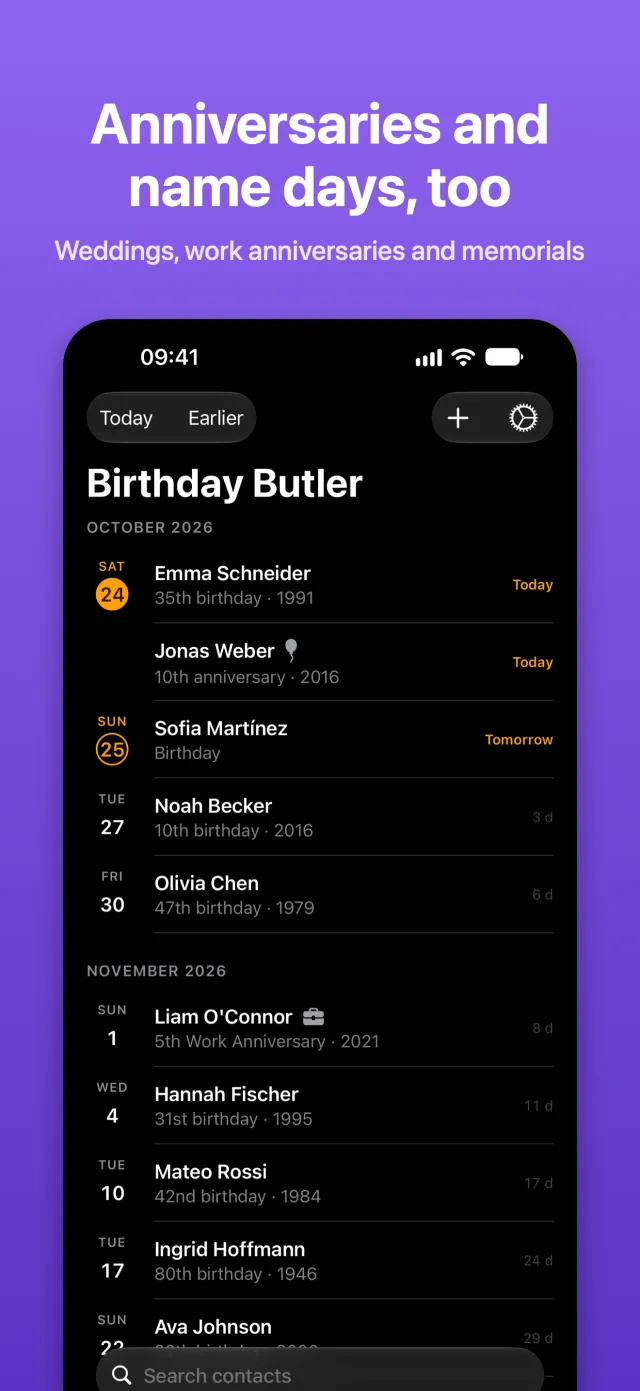
Every birthday from your contacts, grouped by month, with today at the top. Search everyone, or look back at earlier dates.
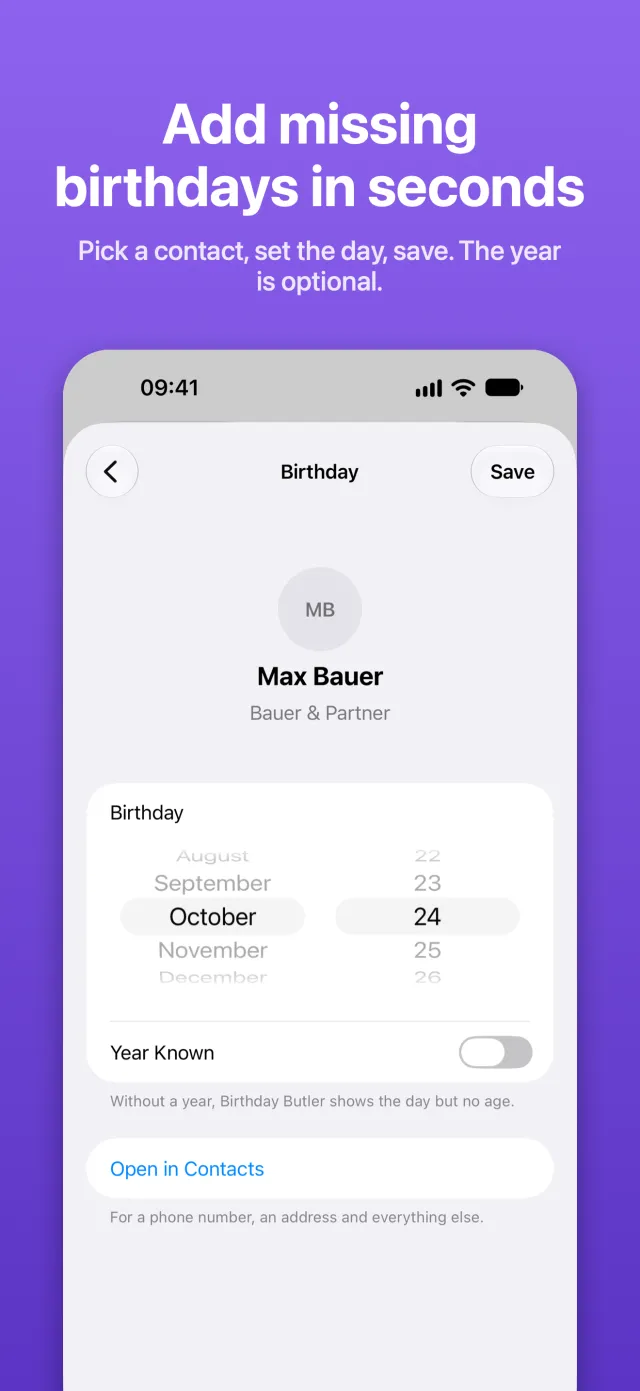
New: add missing birthdays in seconds
Birthday Butler turns the birthdays already in your Contacts into a calm timeline, with a daily reminder, Lock Screen and Home Screen widgets and an Apple Watch app. No account, no setup, and nothing ever leaves your device.

For iPhone, iPad, Mac and Apple Watch
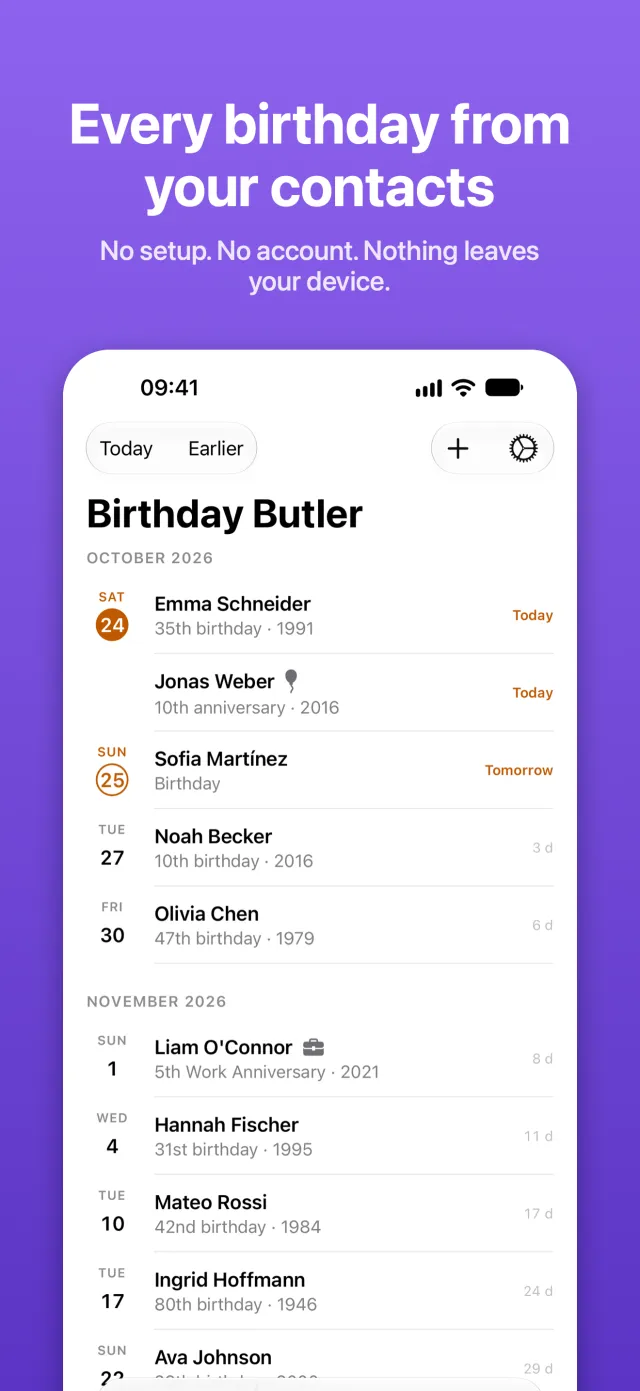
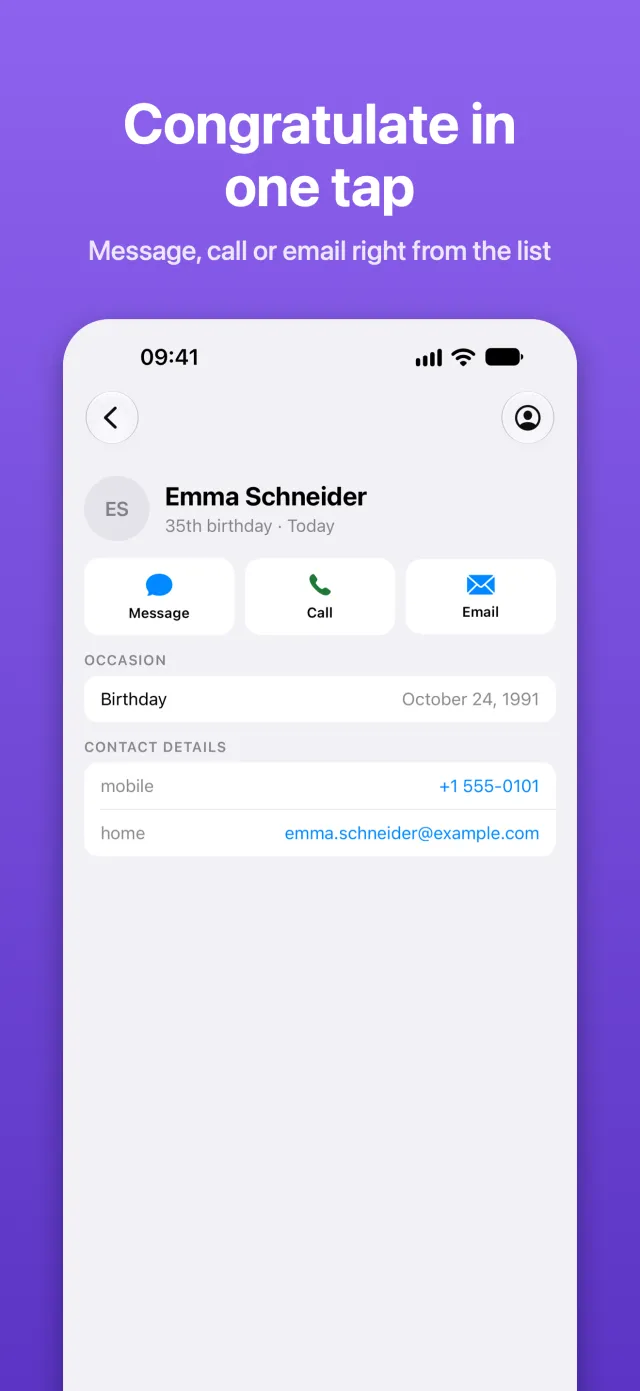
One calm list, grouped by month, with today always at the top. Tap a name to send your congratulations.
Birthday Butler has no server. It doesn’t collect anything, doesn’t send anything and doesn’t show ads. It works with the dates you already keep in Contacts, right on your iPhone, iPad, Mac or Apple Watch.
The developer does not collect any data from this app.
Birthdays are just the beginning. Birthday Butler knows the other dates that matter, too.
Every birthday from your contacts, grouped by month, with today at the top. Search everyone, or look back at earlier dates.
Someone’s birthday isn’t in Contacts yet? Tap +, pick the contact, set the day and save. The year is optional.
Wedding and work anniversaries, name days and memorials, each marked with its own symbol.
Send a message, call or email right from the list, or copy the postal address for a card.
A daily reminder at the time you choose, only on days when something is coming up. Plus an optional badge on the app icon.
Small, medium and large on your Home Screen and Mac desktop. Give each widget its own color scheme, from presets or your own colors.
Put the next birthday right next to your clock: as a countdown ring, as one line above the time, or with name, countdown and age. Included like everything else, with no Pro version and no subscription.
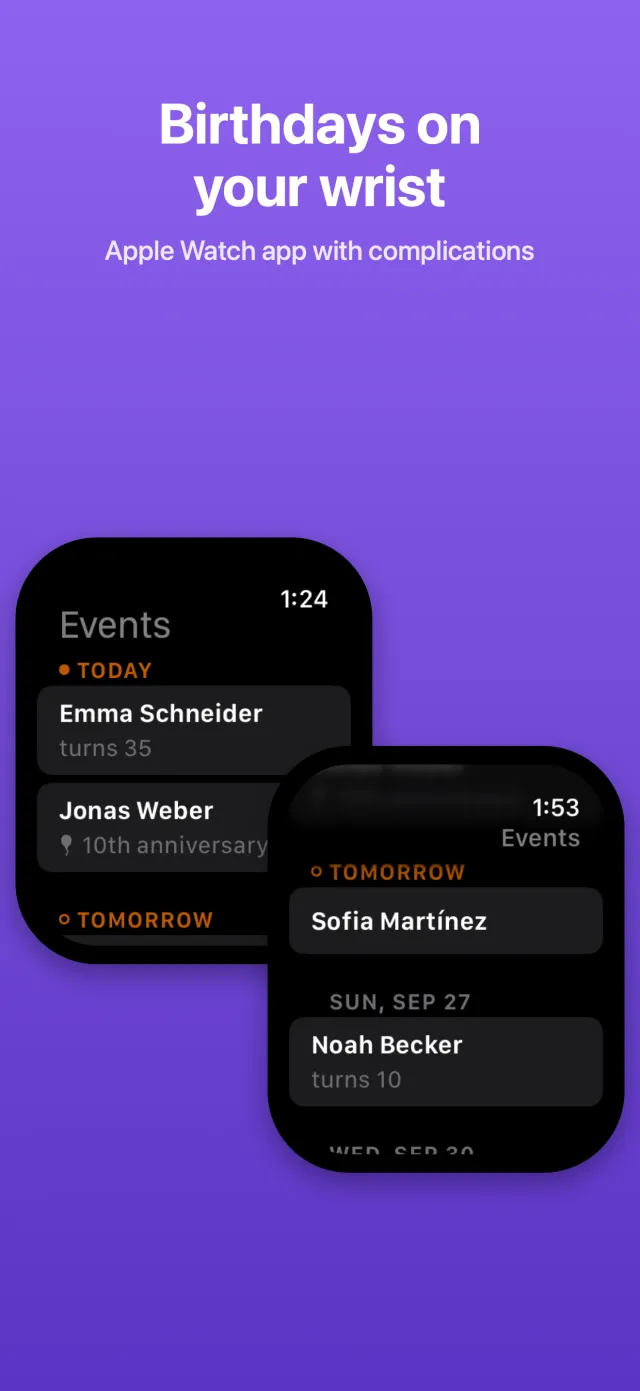
Upcoming dates on your wrist, and complications that put the next birthday on your watch face.

Native on iPhone, iPad, Mac and Apple Watch. If your contacts sync through iCloud, every device shows the same dates, without Birthday Butler syncing anything itself.
Requires iOS 26, iPadOS 26 or macOS 26 or later. The Apple Watch app requires watchOS 27.
Birthday Butler adapts to the settings you rely on, instead of the other way round.
Birthday Butler is made by an independent developer in Germany. No subscription, no upsell and no Pro version: every widget, Lock Screen included, is part of the app. Just a butler who remembers every special day for you.